
 AI GIF Generator
 Free GIF Tools
 AI Video Effects
 AI Image Effects
Video Face Swap
Upload Video
Upload Target Face
Recognizing faces in Video...
🎁Log in daily to claim up to 29 credits!
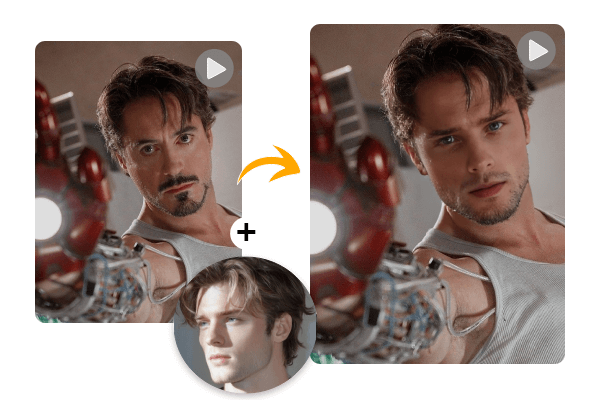
Effortless AI Video Face Swap
Create fun and engaging face swap videos with Gifify's AI video face swap tool. Upload your photo and a video to generate realistic, seamless transformations in seconds. Perfect for creative content, social media posts, entertainment, and personal projects. No sign-up required—just upload, create, and share.
No credit card required
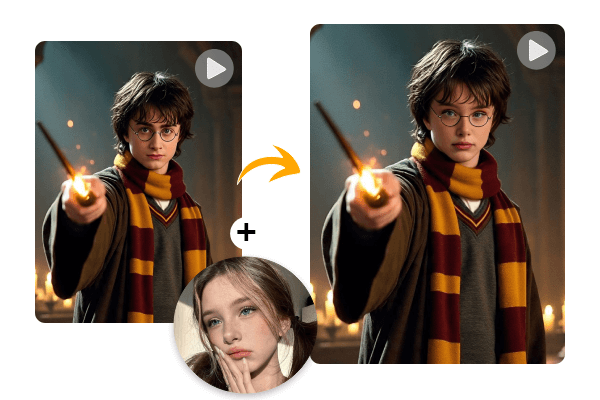
AI Video Face Swap for Creative Content
Bring fresh ideas to your videos with AI-powered face swaps. Create funny skits, reaction clips, character-inspired scenes, and unique visual content for social media or personal projects. Experiment with different styles and concepts while keeping the process simple and fast.
No credit card required
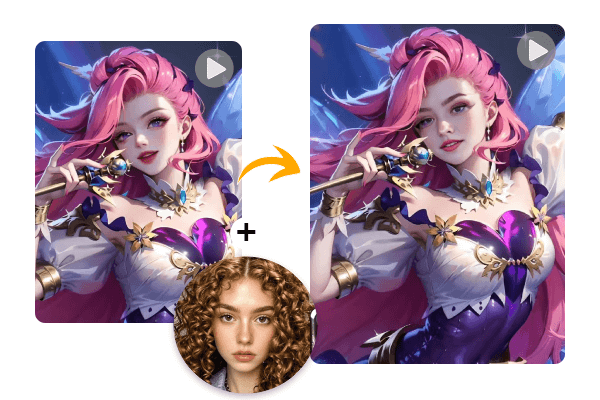
Swap Faces Into Games & Virtual Characters
Level up your gaming and virtual experiences with video face swap. Turn yourself into game avatars, virtual idols, or animated characters for immersive fun. Gifify lets you create free face swap videos online, perfect for creative role-playing and sharing your creations with friends.
No credit card required
How to Replace Face in Video Online
Step 1 – Upload Your Video
Upload the video you want to swap faces in. We support MP4, MOV, and AVI formats, with a maximum size of 300MB and a maximum length of 5 minutes.
Step 2 – Upload the Face Image
Choose a clear face photo for swapping. For the best results, use a high-quality photo with a clearly visible face.
Step 3 – Generate the Face Swap Video
Click the “Generate” button, and AI will create a smooth, high-quality face swap video for you.
No credit card required
FAQ for Video Face Swap
How many faces can I swap at once?
You can swap up to five faces in a single video. This makes it easy to create fun group videos or include multiple friends in your clips.What video formats are supported?
Gifify supports MP4, MOV, and AVI formats. Videos can be up to 300MB in size and 5 minutes long.Can I swap faces in a video for free?
Yes! You can create face swap videos online for free without signing up or installing any apps.How to face swap a video?
Simply upload the video you want to edit and a clear face photo. Click the “Generate” button, and Gifify’s AI will create a smooth, high-quality face swap video in seconds. You can then download or share it on social media.Is my data safe and private?
Absolutely. Your uploaded videos and photos are never shared or stored, and all results are generated securely.