 AI GIF Generator
 Free GIF Tools
 AI Video Effects
 AI Image Effects
AI Pose Generator
Model
 Nano Banana 2.1NEW


Upload up to 14 images
Prompt
0 / 20000✖
Resolution
1K
2K
4K
Aspect Ratio
- Auto
- 16:9
- 9:16
- 1:1
- 4:5
- 5:4
- 4:3
- 3:4
- 3:2
- 2:3
- 21:9
🎁Log in daily to claim up to 29 credits!
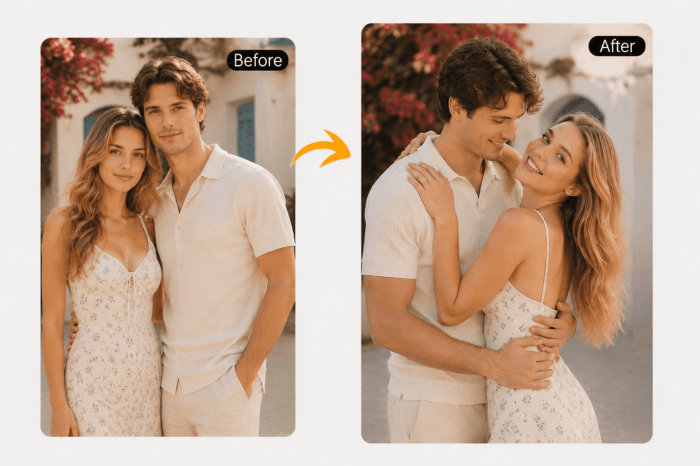
Free AI Pose Generator for Photos
Turn static photos into new poses in seconds. Upload a portrait, anime character, or avatar and let AI create natural-looking pose variations while keeping the same face, outfit, and overall vibe. Perfect for social posts, character art, profile pictures, and creative edits.
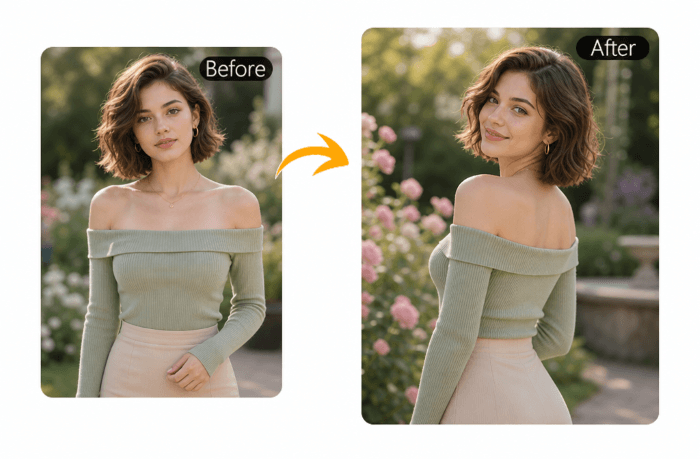
Turn Any Photo Into a New Pose — No Retake Needed
No need to reshoot or start over when a photo feels almost perfect but the pose isn’t quite right. Simply upload your image and let AI naturally adjust the body posture while keeping the face, outfit, and identity unchanged.
This is especially useful for “nearly good” shots—where everything looks fine except the pose feels stiff, awkward, or not expressive enough. In just a few seconds, you can turn an unusable or average shot into a more balanced and natural-looking result that feels like it was originally captured that way.
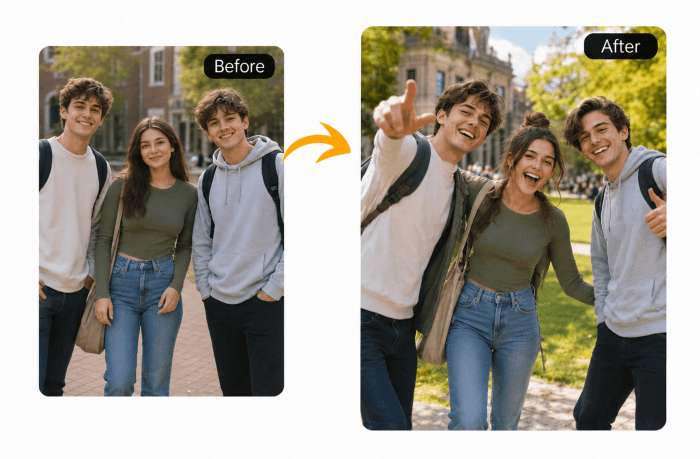
Explore More Natural Pose Ideas from a Single Photo
One photo is no longer a fixed moment—it can become multiple pose directions. By subtly adjusting posture, angle, and body language, AI helps you explore different visual interpretations of the same image.
Instead of relying on a single shot, you can quickly compare multiple versions to find the most expressive, natural, or visually appealing pose. It’s like testing different photoshoot outcomes instantly, without needing to shoot again.
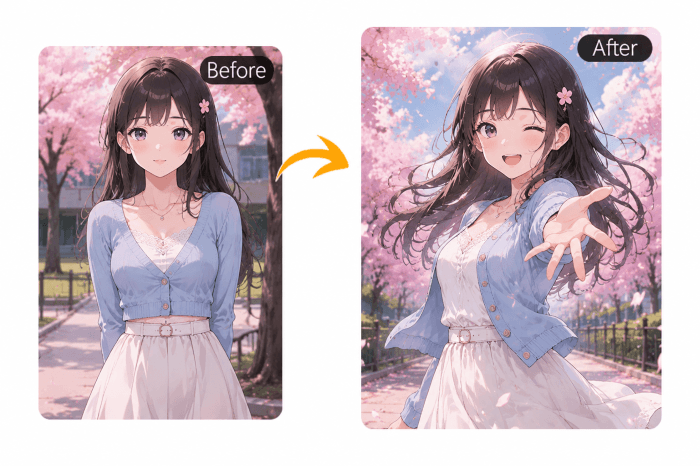
Perfect Pose Adjustment for Anime Characters
For anime-style characters and digital illustrations, pose is key to emotion and storytelling. This tool helps adjust character posture while keeping the original art style consistent and intact.
It’s especially useful when a drawing or generated image looks good overall but the pose feels unnatural or lacks impact. You can refine body structure, improve composition, and make characters feel more dynamic without changing their identity or style direction.
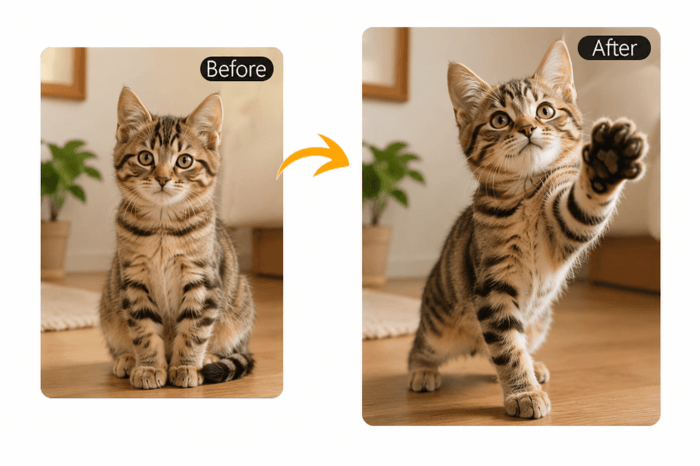
Make Pet Photos More Natural, Cute, and Expressive
Pet photos often capture great moments—but the pose isn’t always perfect. With AI, you can naturally adjust your pet’s posture while keeping their appearance and personality unchanged.
Whether it’s a sitting dog, a standing cat, or a playful movement, the system helps refine posture to make the moment feel more balanced, natural, and visually appealing. It’s perfect for turning everyday pet shots into more adorable and share-worthy images.
How to Use AI Pose Generator?
Step 1 – Upload Your Photo
Upload a portrait, anime character, or pet photo from your device. The tool works best with clear images where the subject is visible and well-lit.
Step 2 – Enter a Pose Prompt
Describe the pose you want using a text prompt. For example: “standing confidently”, “sitting on a chair”, “turning head slightly”, or “playing with a ball”.
Step 3 – Generate and Download
AI instantly generates a new pose based on your instruction. Download the result and use it for creative projects, social media, or design work.
AI Pose Generator FAQs
What is AI Pose Generator?
AI Pose Generator is a tool that lets you change the pose of a person, anime character, or pet in a photo using a text prompt. It keeps the original face, identity, and style while adjusting body posture based on your instruction.Can I use it for pet photos?
Yes, you can adjust poses for pets like dogs and cats. The AI will naturally modify their posture while keeping their appearance and personality consistent.Can I change poses in group photos with multiple people?
Yes, the AI supports group photos with multiple people. You can use a text prompt to adjust the overall pose style of the group, while keeping each person’s identity, face, and appearance consistent. For example, you can describe a scene like “standing together and smiling”, “group sitting casually”, or “celebrating with raised hands”.Is AI Pose Generator free to use?
Yes, you can try AI Pose Generator for free. We offer daily login credits that allow you to generate poses at no cost.If you need more usage, you can purchase additional credits anytime.Can I use the generated images for commercial purposes?
Yes, you can use the generated images for personal and commercial projects, such as social media content, creative designs, marketing materials, and digital art—depending on your usage rights. We recommend reviewing your local copyright and platform usage rules if you plan to use the content in commercial products or client work.