
 AI GIF Generator
 Free GIF Tools
 AI Video Effects
 AI Image Effects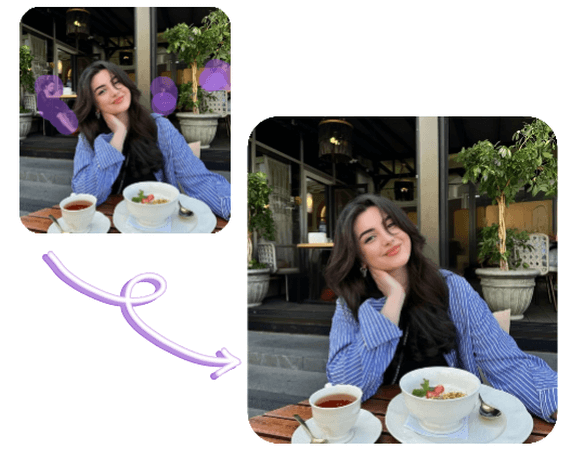
Free AI Object Remover – Remove Unwanted Objects from Photos
Using our AI Object Remover, you can quickly remove unwanted objects, people, or distractions from your photos. Simply upload an image and brush over the area you want to erase to get clean, natural-looking results—no editing skills required. Perfect for background cleanup, portrait touch-ups, product images, and social media photos.
No credit card required
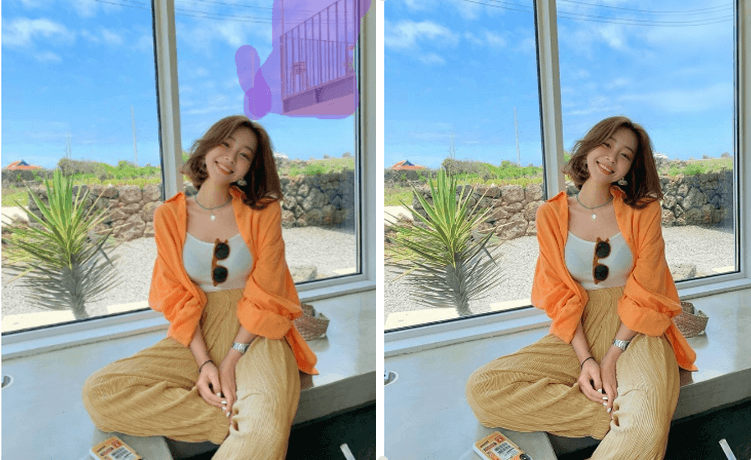
Remove Unwanted Objects from Everyday Scenes
Everyday photos often include small distractions that ruin the overall look—random objects, cluttered backgrounds, or unwanted items in the frame. AI Object Remover allows you to easily erase these elements by simply brushing over them. The surrounding area is automatically filled to match the original scene, creating a clean and natural result. This is ideal for daily photos, travel shots, and casual images where you want the focus to stay on what truly matters.
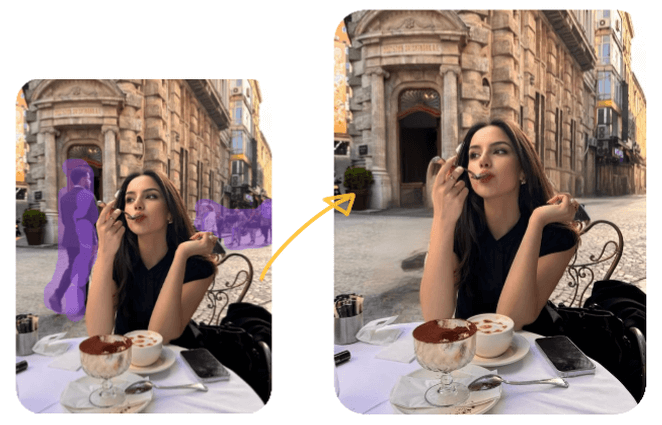
Remove People While Keeping the Main Subject Intact
Crowded locations can make it difficult to capture a clean photo. With AI Object Remover, you can remove unwanted people or passersby while keeping the main subject, lighting, and composition untouched. Whether it’s a tourist spot, a busy street, or a group photo with extra people in the background, the tool helps create a clearer, more focused image without manual retouching.
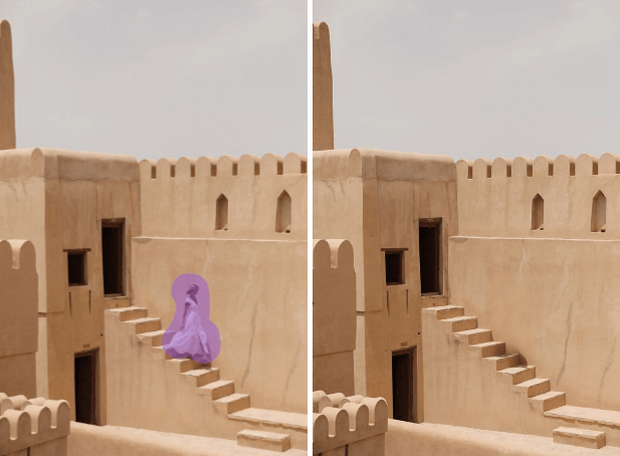
Create Clean, Professional Images for Business & Social Media
For business and content creation, clean visuals make a strong first impression. AI Object Remover helps remove unnecessary elements from product photos, marketing materials, and social media images, allowing your subject to stand out. By simplifying the image and improving focus, you can create professional-looking visuals that are ready for e-commerce listings, ads, and online sharing.
How to Use AI Object Remover?
Step 1 – Upload Your Image
Upload the photo you want to edit using AI Object Remover. The tool supports common image formats and works with photos taken from phones, cameras, or screenshots.
Step 2 – Brush Over the Area to Remove
Use the brush tool to highlight unwanted objects, people, or distractions in the image. Simply paint over the area you want to erase—no precise manual selection required.
Step 3 – Generate and Download
Click the generate button and let AI Object Remover automatically remove the selected area. Preview the clean, natural-looking result and download the final image when you’re satisfied.
No credit card required
FAQs About AI Object Remover
Can I remove objects from photos online without Photoshop?
Yes. AI Object Remover works entirely online, so there’s no need to install Photoshop or any other editing software. You can remove unwanted objects directly in your browser with just a few clicks.Is AI Object Remover free to use online?
AI Object Remover offers free usage options, allowing you to remove objects from photos online without upfront costs. Some advanced features or high-resolution exports may require credits, depending on usage.What can AI Object Remover remove from photos?
AI Object Remover can remove unwanted objects, people, clutter, or background distractions from photos. It works well for everyday scenes, travel photos, product images, and social media content.Will removing objects affect the rest of the image?
AI Object Remover automatically fills the removed area to match the surrounding scene, keeping lighting and textures consistent for a natural-looking result.Can I use the edited images for commercial purposes?
Yes. Images edited with AI Object Remover can be used for personal or commercial purposes, such as e-commerce listings, marketing materials, and social media posts.